UGC Strategy19 min read
UGC Brief Template: Copy-Paste Brief With Two Filled Examples
A free UGC brief template to copy, with a filled-in example for a product and an app, plus the usage rights, specs and payment lines most briefs forget.
Short answer:
- A UGC brief tells a creator what to make and on what terms: the product, the viewer, the one message, the lines that must stay fixed, the shots, the file specs, the deadline, the usage rights, the fee and the disclosure.
- Keep it to about one page. The brief sets the context; the script is the words inside one video. If your brief has turned into dialogue, it's a script.
- Put usage rights, raw files, extra hooks and payment terms in the brief, not in a follow-up message. They change the creator's quote more than anything else.
- The template below is free to copy. Under it you'll find one filled in for a physical product and one for an app.
Most bad UGC starts with a vague brief. The creator guesses what you meant, films the wrong thing, and you spend two revision rounds fixing what one clear line would have prevented. The guides that rank for this topic agree on the creative sections, but most leave the business side as a blank line: who owns the video, for how long, when the creator gets paid, and what has to be disclosed. This template fills those in, and it ends with what changes when you brief an AI tool instead of a person.
What a UGC brief is, and what it isn't
A UGC brief is the document you send a creator before they film. It explains the product, who the video is for, where it will run, what the video has to show, how to deliver the files and what rights you're buying. It's the same document whether you're hiring one creator on a marketplace or ten through an agency.
It isn't a script. The script is the words and shots inside one video, beat by beat. The brief is the context around it. Many brands send both, and the brief can include a few must-say lines, but if you find yourself writing the creator's dialogue line by line, stop and move that into a separate script. Our UGC script guide covers the structure, word counts and hook formulas, so this post doesn't repeat them.
Aim for one page. Make Influence, a creator platform, answers the length question with "One to two pages. If it is longer, you are probably scripting rather than briefing" (Make Influence). A long brief doesn't get followed more closely. It gets skimmed. The template below looks long because it's blank and every field has a hint, but filled in, most sections are a single line.
The UGC brief template (copy and paste)
Copy this into a doc, delete the sections that don't apply, and replace everything in square brackets. Sections 1 to 9 are the creative brief. Sections 10 to 15 are the terms, and they're the ones creators ask about first.
UGC BRIEF: [Brand] x [Creator]                     Sent: [date]

1. PRODUCT
Product: [name, variant, price]
What it does, in one sentence: [ ]
The one message: [the single thing a viewer should remember]
Proof we can back up: [review count, test result, guarantee]

2. AUDIENCE
Who's watching: [a specific person, not "everyone"]
Their problem, in their words: [ ]
What they've already tried: [ ]
Main doubt: [price / does it work / too much hassle]

3. GOAL AND PLACEMENT
Goal: [sales / installs / sign-ups / awareness]
Where it runs first: [TikTok in-feed / Instagram Reels / product page]
Posted from: [our account only / your account / Spark Ads or partnership ad]

4. OFFER AND CALL TO ACTION
Offer: [discount / free shipping / free trial / none]
Call to action, exact words: [ ]
Link: [landing page URL]

5. MUST SAY (word for word)
- Product name, pronounced: [ ]
- [approved claim]
- [offer and call to action]

6. TALKING POINTS (say these your way)
- [benefit 1]
- [benefit 2]
- [the doubt to answer]

7. HOOKS TO TRY (first 3 seconds, one file each)
A: [line] + [what we see]
B: [line] + [what we see]
C: [line] + [what we see]

8. SHOT LIST
A-roll: [you talking to camera, where, product in frame]
Product in use: [the action that proves the message]
B-roll: [3 to 5 clips of 3 to 5 seconds: close-ups, packaging, texture]

9. DO / DON'T
Do: [natural light, real setting, label facing the camera]
Don't: [competitor products in frame, copyrighted music,
        before-and-after or medical claims, filters on the product]

10. SPECS
Aspect ratio: 9:16 vertical, 1080x1920 or higher
Length: main cut [20 to 30] seconds
Safe zones: keep face, product and key text out of the top
            and bottom of the frame and away from the right edge
Captions: [burned in / none, we add our own]
Audio: clear voice, no music (we add licensed audio)

11. DELIVERY
Files: .mp4 or .mov, original quality, no watermark
Folders: /final  /hooks  /raw  /b-roll
File names: [brand]_[creator]_[hookA]_v1.mp4
Raw files: [yes, all usable takes / no]
Send via: [Drive / Dropbox / platform]

12. DEADLINE AND REVISIONS
Product ships: [date]
First cut: [date]
Final files: [date]
Revisions included: [1 or 2 rounds]
A revision is: [a re-edit or a reshoot of one section,
               not a new concept]

13. USAGE RIGHTS
Channels: [organic social / paid ads / website / email]
Paid ads: [yes / no], for [3 / 6 / 12] months from [first run date]
Markets: [countries]
Editing: [we may cut, crop, caption and combine with other footage]
Spark Ads / whitelisting / partnership ads: [yes / no], for [period]
Exclusivity: [none / category], for [months]
Renewal: [price or % per extra period]

14. PAYMENT
Fee: [video] + [extra hooks] + [raw files] + [usage] = [total]
Terms: [e.g. 50% on signing, 50% on approval of final files]
Paid by: [method], within [X] days of invoice
Product: [gifted / to return / reimbursed]

15. DISCLOSURE
If this goes on your own account: turn on the platform's
paid partnership label and put #ad at the start of the caption.
Don't say or imply you bought the product yourself.

Questions: [name, email]
Two sections carry more weight than they look. Section 5 versus section 6 is the difference between a video that sounds read and one that sounds like the creator: fix the product name, any claim your legal team approved and the offer, and leave the rest as talking points. And section 7 asks for each hook as a separate file, so you can test three openings on the same body without paying for three videos.
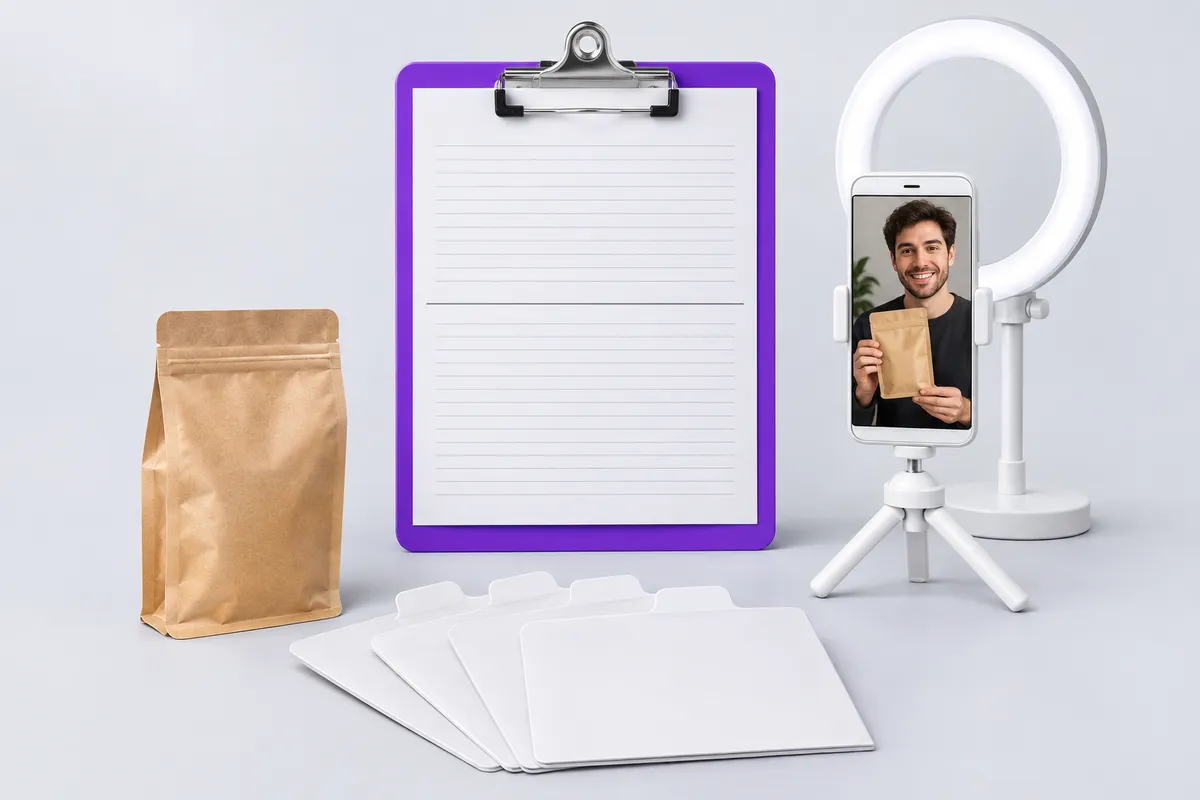
A good brief has two halves: what to film, and the terms it's filmed under. Illustration generated with AI.
How to fill in the sections that matter most
Product, audience and the one message
Write the audience as one person you could picture, and their problem in the words they'd use. "Busy professionals" gives a creator nothing to work with. "Nurses on 12-hour night shifts whose coffee is cold by 3 a.m." tells them where to film, what to wear and what to say first.
Then pick one message. A brief with four benefits gets a video that mentions four benefits and lands none of them. If you have four, write four briefs, or ask for four hooks that each open on a different one.
Hooks, shot list and B-roll
The shot list is where briefs get vague. "Show the product" can mean a bottle on a shelf. Write the action that proves your message: pouring it, opening the app and tapping once, the lid that doesn't leak when you shake it upside down. B-roll is the cheapest footage to ask for and the most useful later, because editors cut new versions from it for months.
Specs, safe zones and file delivery
Ask for 9:16 vertical video. TikTok's in-feed ads take vertical video at "9:16, more than or equal to 540*960px" (TikTok in-feed ad specs), and asking for 1080x1920 gives you room to crop. The bigger problem is what the apps draw on top of the video. For Instagram Reels ads, Meta asks you to keep at least 14% at the top, 35% at the bottom and 6% on each side free of text, logos and other key elements (Meta Ads Guide). A creator who holds the product at chest height in the bottom third of the frame films it straight under the caption. Our safe zone checker shows exactly where each app's buttons and captions sit, and you can link it in the brief.
Ask for clean files: no music, no filters, no burned-in captions unless you want them. Music the creator picked is usually not licensed for ads, and captions you can't remove get in the way of every re-edit. Folders named /final, /hooks, /raw and /b-roll make it easy to find the right take months later.
Usage rights, Spark Ads and whitelisting
Most creators' base rate covers organic use: the video on your own social accounts and website. Running it as a paid ad is a separate right with its own fee and time limit, and so is exclusivity. Write the channels, the length of paid use, the markets and the renewal price into section 13. A brief that says "usage: TBD" gets either an inflated quote or a video you're not allowed to run. Our UGC usage rights guide has a clause you can paste into that section.
If you want to run ads from the creator's own account, say so here too. On TikTok that's a Spark Ads code, and the creator sets an authorization period when they generate it. On Meta it's a partnership ad permission. Creators usually charge extra for both, because the ad runs under their name. Our TikTok Spark Ads guide explains how the codes and permissions work, so you can name the period before the creator generates anything.
Payment, revisions and disclosure
Itemize the fee: the video, each extra hook, raw files and usage. Creators quote faster when they can see what they're pricing, and you can see which extra is worth paying for. Say when you pay and how. "Net 60 after the campaign ends" is a term some creators will turn down, so it belongs in the brief, not in the contract they sign after filming.
Define a revision. Re-editing a section or fixing a mispronounced product name is a revision. Changing the concept after filming is a new video, and creators charge for it.
Disclosure goes in the brief because the creator is the one posting. Under the FTC's Endorsement Guides, when a connection between the endorser and the brand "might materially affect the weight or credibility of the endorsement," it "must be disclosed clearly and conspicuously," and that connection can be "monetary payment or the provision of free or discounted products" (16 CFR 255.5). The FTC's guide for influencers puts it more simply: "Disclose when you have any financial, employment, personal, or family relationship with a brand," and "Place it so it's hard to miss" (FTC, Disclosures 101). A gifted product counts. So the brief should ask for the platform's paid partnership label plus a written #ad, and never ask a creator to pose as an ordinary customer.
Filled-in example: a physical product
Here's the template filled in for a made-up coffee brand selling a bag of beans by subscription. Notice how short each line gets once you've decided.
UGC BRIEF: Northbean x Maya                         Sent: Nov 14

1. PRODUCT
Product: Northbean House Blend, 340 g bag, $18, or $15 on subscription
What it does: fresh-roasted coffee delivered every 2 or 4 weeks
The one message: it arrives roasted within the week, so it tastes fresh
Proof: roast date printed on every bag

2. AUDIENCE
Who's watching: people who make coffee at home every morning
Their problem: supermarket beans taste flat and they don't know why
Already tried: pricier supermarket brands, pods
Main doubt: is a subscription worth the hassle

3. GOAL AND PLACEMENT
Goal: first subscription orders
Runs first: Instagram Reels ads, then TikTok
Posted from: our ad account; Spark Ads code if it wins

4. OFFER AND CALL TO ACTION
Offer: first bag $9
CTA: "Your first bag's $9, link below."
Link: northbean.example/first-bag

5. MUST SAY
- "Northbean" (north-been)
- "The roast date is on every bag"
- "Your first bag's $9, link below."

6. TALKING POINTS
- How it smells when you open the bag
- You can skip or pause any delivery
- Your honest first sip, flat or not

7. HOOKS (one file each)
A: "Check the date on your coffee bag." + close-up of a supermarket bag
B: "I didn't know coffee went stale." + opening the Northbean bag
C: Silent: bag hits the counter, roast date fills the frame, then talk

8. SHOT LIST
A-roll: your kitchen, morning light, bag in frame
Product in use: grinding or brewing, pouring the first cup
B-roll: roast date close-up, beans pouring, steam, the mailer box

9. DO / DON'T
Do: real kitchen, your usual mug, label facing camera
Don't: other coffee brands visible, health claims, music

10. SPECS
9:16, 1080x1920, 25 to 30 s, no captions, no music

11. DELIVERY
Folders /final /hooks /raw /b-roll on the shared Drive

12. DEADLINE AND REVISIONS
Bag ships Nov 17; first cut Nov 26; final Nov 28; 1 revision round

13. USAGE RIGHTS
Organic + paid ads on Meta and TikTok, 6 months from first run, US only
Spark Ads code only if it wins; period and fee agreed first
No exclusivity

14. PAYMENT
Video + 2 extra hooks + raw + 6-month paid usage = [your quote]
50% on signing, 50% within 7 days of final approval; bag is yours

15. DISCLOSURE
If you post it: paid partnership label on, #ad first in the caption
Short example: an app
Here's a made-up budgeting app. App briefs change in two places: the product in use is a screen recording, and the proof is something you can show on screen rather than a result on someone's skin. Everything else stays the same, so here are only the sections that differ.
1. PRODUCT
Product: Tallybird, budgeting app, free with a $6/month plan
The one message: you see where your money went in 10 seconds a day

7. HOOKS
A: "This is the only budgeting app I've opened twice."
B: "My bank app doesn't tell me this." + phone to camera
C: Screen first: the spending chart, then your face in the corner

8. SHOT LIST
A-roll: talking to camera, phone in hand
Product in use: screen recording of opening the app, the daily
  summary, adding one expense (we send a test account)
B-roll: the phone on a desk, notification, scrolling the chart

9. DON'T
Show real bank details, promise savings amounts, say "free" without
"to start"

10. SPECS
Screen recording at full resolution, separate from the A-roll file
Ask for the screen recording as a separate file. Editors then lay it next to the creator's face, or full screen with the face in a corner, without re-recording anything. And give creators a test account with clean sample data, so you're not blurring someone's real balance in post.
How the brief changes the quote
Every line in sections 10 to 14 is a price line. Extra hooks, raw footage, paid usage, a Spark Ads code, exclusivity and a short deadline each add to the base fee, and creators who price by scope can't quote until they see them. Our UGC rates guide has the typical add-on percentages and a calculator; use it before you send the brief so the budget line isn't a surprise to either side.
The cheapest brief to work with isn't the one with the fewest extras. It's the one that lists them up front, so the first quote is the real one. Say what the job doesn't include, too. In an r/UGCcreators thread, a creator looking for film-only work described listings that bundle filming with running the brand's accounts:
"At that point, you’re hiring a creator, editor and social media manager for one low monthly rate."
A post on r/UGCcreators
One reply's advice to creators works just as well for brands writing the brief: make the scope clear, "then list the exact deliverables: concepts, hooks, raw footage, edited versions and revisions." If you also want the creator to post, reply to comments or manage an account, that's a separate job with a separate price.
Briefing an AI UGC tool instead of a person
An AI UGC generator takes a brief too, just a shorter one typed into a form. Most of the creative half carries over unchanged: the product, the audience, the one message, the must-say lines, the hooks and the specs. In UGC Builder's UGC video tool (UGC Builder is our own product), you upload the product image, pick the actor, add a script or talking points and generate, and a 5-second clip uses 20 credits. Plans start at $9 a month for 100 credits.
The terms half mostly falls away. There's no creator fee to negotiate, no usage period to buy, no Spark Ads code and no shipping date. Revisions become regenerations: instead of a second round with the creator, you change the line or the setting and run it again. The hooks section gets more useful, not less, because a new opening costs a few credits instead of a reshoot.
Two things don't carry over. An avatar can't hold and use your real product the way a person can, so the "product in use" shot is where AI UGC is weakest, and physical products with texture or a demo still need a real creator. And an avatar hasn't used your product, so drop first-person results from the must-say lines. Write it as a presenter ("three reasons people switch to Northbean"), not as a customer ("I've had this every morning for a month"). Platforms also have their own labels for AI-generated ads; our AI ad disclosure guide covers Meta's and TikTok's rules.
Common UGC brief mistakes
The most common one is leaving usage for later. The creator quotes for organic use, the video works, and then you need a second negotiation before you can put money behind it, usually at a worse moment for you. Settle paid usage, the period and the markets before anyone films.
The second is writing a script and calling it a brief. A page of dialogue gets read in a flat voice, and you lose the reason you hired a person in the first place. Give the must-say lines and let the creator say the rest their way.
The third is asking for one video when you need variations. One finished video with three separate hooks usually costs less than three videos, and it's what you actually need for testing. Put it in section 7 and price it in section 14.
The fourth is forgetting the frame: a product held low in a vertical video ends up under the caption. The last is leaving disclosure to the creator's judgment. If the video goes on their account, the brief should say how to label it, which protects them and you.
FAQ
What should a UGC brief include?
The product, the audience, the goal and placement, the offer, must-say lines and talking points, hooks, a shot list, do's and don'ts, specs, delivery, deadline and revisions, usage rights, payment terms and disclosure. The template above has a section for each.
How long should a UGC brief be?
About one page, two at most. If it's longer, you're probably writing the script inside the brief. Keep the dialogue in a separate script and leave the creator room to phrase it.
What's the difference between a UGC brief and a UGC script?
The brief is the context and the terms: product, audience, specs, rights, deadline and fee. The script is what's said and shown inside one video, beat by beat. Many brands send a brief with a few must-say lines and let the creator write the rest.
Should a UGC brief include the fee and usage rights?
Yes. Usage rights, extra hooks, raw files and exclusivity change the price more than anything else, so a brief without them gets a guessed quote. Put the rights, the period and the payment terms in the brief before filming starts.
Do UGC creators have to disclose that they were paid?
When they post the video on their own account, yes. The FTC's Endorsement Guides require a clear disclosure of a material connection, and that includes payment and free products. Ask for the platform's paid partnership label and #ad in the brief.
- UGC
- UGC Creators
- UGC Scripts
- Video Ads
- TikTok Ads